Our workCase study
Styled Spaces Content Studio.
The dashboard behind the Styled Spaces site, taking each article from idea to published. We built it for the same client as the website.
01/The need
What changed.
Before
After
01Running the site meant moving between separate tools for writing, ideas, Pinterest and the numbers.
After
Ideas, writing and Pinterest pins now run from one dashboard.
02/The build
What we built.
One dashboard for the writing, the planning and the pins.
The pipeline
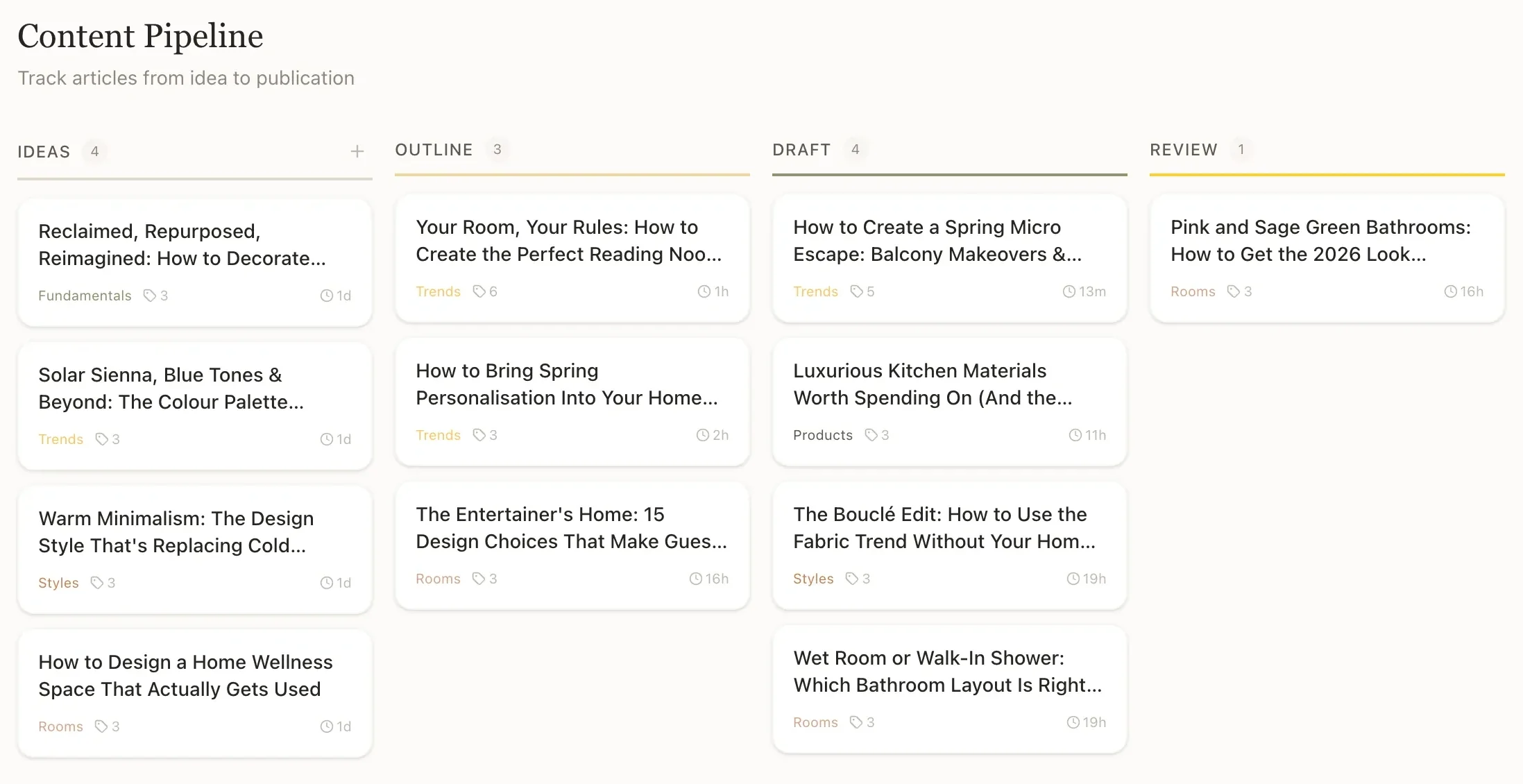
Every article on one board, from first idea to approved.
Articles move through ideas, outline, draft and review, and each card is tagged with its category, so the owner can see what's next at a glance.
Topics and drafts
Trending topics found, and first drafts ready for the owner to edit.
A trend scan finds topics worth writing about, and drafts are generated and queued for the owner's review before anything goes further.
Command Centre
The home screen shows what needs doing next.
Buttons to write an article, run a trend scan or generate a draft sit above the queue of articles that need attention.
Pinterest
Pins made for the site, approved before they go out.
Pin designs come in two versions to compare, and only the ones the owner approves are sent to Pinterest.
“They built both my blog website and a fully integrated backend dashboard that has completely streamlined my workflow, from trend analysis and article writing, through to publishing content and generating supporting social media assets for promotion.”
03/Screens
Inside the dashboard.
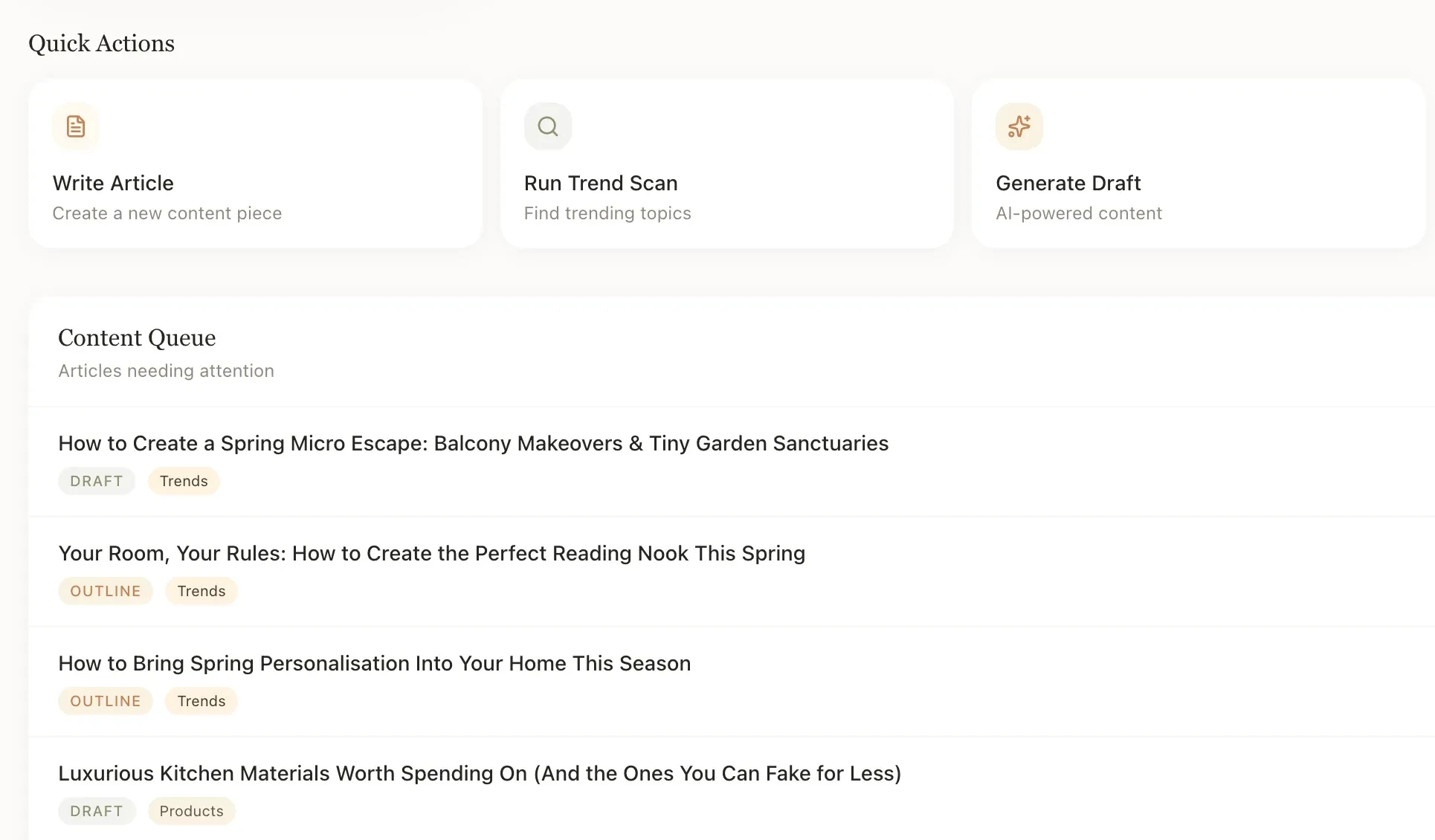
The Command Centre
Every article in the queue shows its stage and its category.
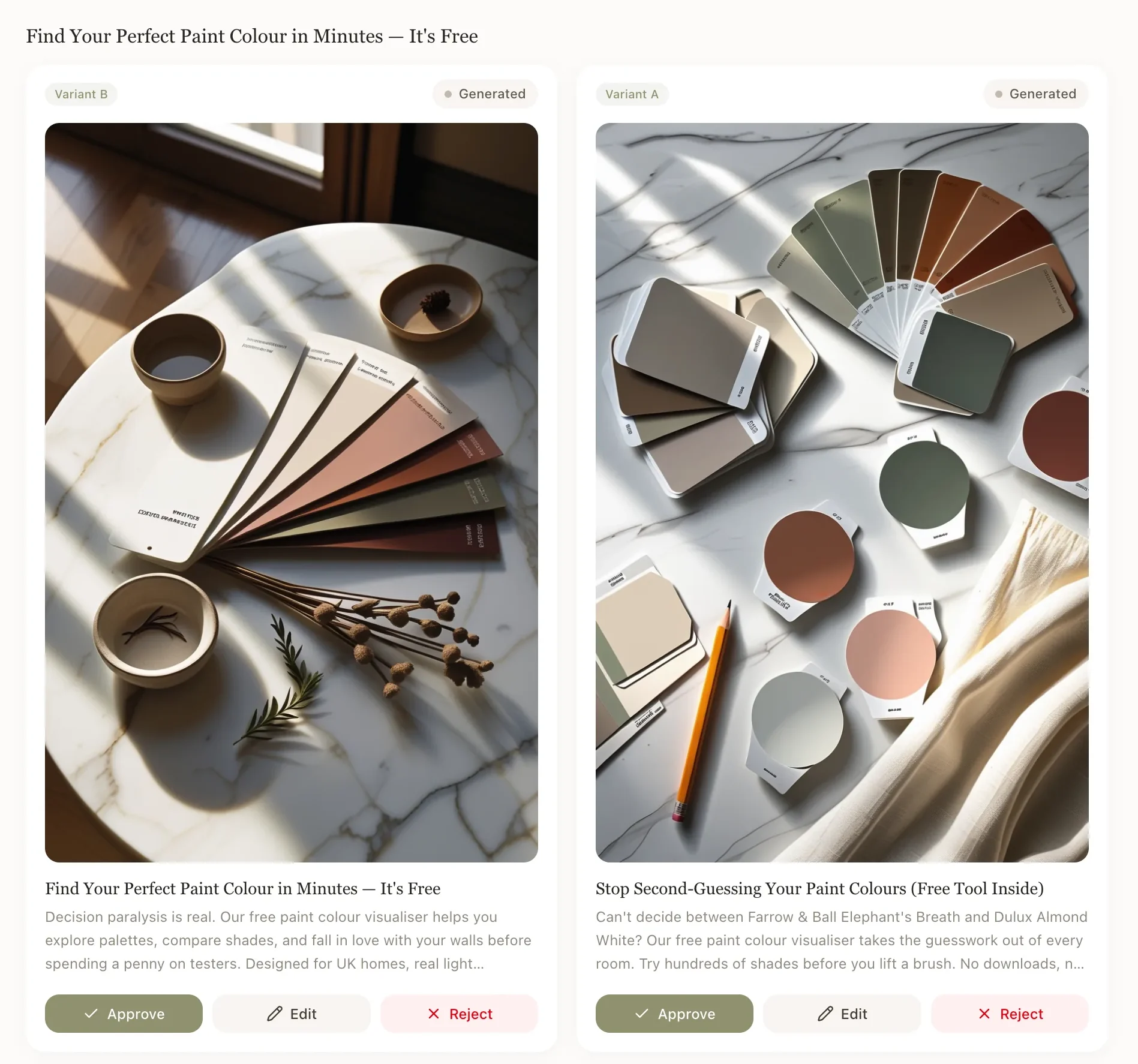
The Pin Factory
Two versions of each pin side by side, each with approve, edit and reject.
04/Start a project
Tell us what's slowing you down.
On a free 30-minute call we go through it together, and you leave knowing where we'd start.